I almost didn’t write this post because I thought, “Everyone already knows what ChatGPT is.” Then I mentioned it to my neighbor — a smart, capable person who’s been using computers since the 90s — and she said, “I’ve heard of it but I honestly don’t really know what it is or why I’d use it.”
So. Here we are.
This is the explanation I wish someone had given me before I spent two weeks being vaguely confused about it. No technical background required. No assumptions about what you already know.

What You Need Before You Start
- A smartphone or computer
- An email address to sign up
- About 5 minutes to create a free account at chat.openai.com
- Zero prior experience with AI — seriously, none required
So What Is ChatGPT, Exactly?
ChatGPT is an AI chatbot made by a company called OpenAI. “Chatbot” just means it’s a program you can have a conversation with by typing. “AI” — artificial intelligence — means it was trained on a huge amount of text from the internet, books, and other sources, and it learned to respond to questions in a way that sounds like a person wrote it.
You might’ve seen it on the news. Or heard someone at work mention it. Or seen it referenced in a meme you didn’t quite get.
Think of it this way: imagine you had access to a very well-read assistant who has read millions of articles, books, and websites, and who never gets tired of your questions. You type something, they respond. You ask a follow-up, they keep the conversation going. They don’t judge you for asking a basic question. They don’t get impatient.
That’s ChatGPT.
It’s not a search engine, though people confuse these two things all the time. A search engine (like Google) shows you a list of websites that might have the answer. ChatGPT just… answers you. In one response. Like a person would.
How Does ChatGPT Actually Work?
I’m going to explain this without using the word “algorithm,” because I personally find that word unhelpful.
Here’s the honest version: ChatGPT was trained by feeding it enormous amounts of text — think billions of web pages, books, articles — and having it practice predicting what word comes next in a sentence, over and over, millions of times. Eventually, it got so good at predicting the next word that when you ask it a question, it produces responses that make sense, flow naturally, and are often accurate.
It’s not “thinking” the way you and I think. It’s not conscious. It doesn’t “know” things the way a person knows things. But it’s very, very good at producing useful text responses — which, for most everyday uses, gets you most of the way there.
The important thing to understand: it can be wrong. Sometimes confidently wrong. Especially about facts, recent events, or anything very specific. It’s a useful tool, not a source of truth. Think of it as a smart first draft, not a final answer.
What Can You Actually Use It For?
This is where it gets practical. And this is the question I wish someone had answered for me earlier, instead of just saying “it can do lots of things!” — which is technically true but completely unhelpful.
Everyday writing help
Draft an email. Write a complaint letter. Word a tricky text message to a family member. Describe something in a way that sounds professional. ChatGPT is genuinely good at this, and if you spend any time staring at a blank screen trying to find the right words, this alone is worth trying. More on this in my email post.
Answering questions in plain English
Look something up on Google and you often get a wall of links. Ask ChatGPT the same question and you get a direct answer, in plain language, with context. “What’s the difference between a Roth IRA and a traditional IRA?” “How does compound interest actually work?” “What does it mean when a doctor says my cholesterol is borderline?”
It’ll explain things clearly. And if the explanation is too complicated, you can just say “explain that more simply” and it will.
Summarizing long documents
Paste in a long article, a legal document, a long email chain, and ask it to summarize the key points. I’ve used this for things I needed to understand but didn’t have time to read carefully. Works surprisingly well.
Brainstorming
Stuck on what to get someone for a gift? Planning a trip and not sure where to start? Starting a side project and need ideas? It’s good for generating options when you’re drawing a blank.
The Part Nobody Warns You About
ChatGPT can sound very confident even when it’s wrong.
I learned this the hard way about four weeks into using it. I asked it for some specific information about a local regulation and it gave me a detailed, authoritative-sounding answer that turned out to be partially incorrect. It didn’t say “I’m not sure” or “you should double-check this.” It just… answered.
So my personal rule: for anything where being wrong matters — medical, legal, financial, factual — I use ChatGPT as a starting point and then verify with a real source. For writing help, brainstorming, and general explanations? I trust it more.
It’s a tool. A useful one. But not an oracle.
How to Get Started: Step by Step
Step 1. On your phone or computer, go to chat.openai.com. If you’re on a phone, you can also download the “ChatGPT” app — it’s free and made by OpenAI directly.
Step 2. Click “Sign up” and create a free account with your email address. You’ll verify your email, pick a password, and you’re in. The whole thing takes about 3 minutes.
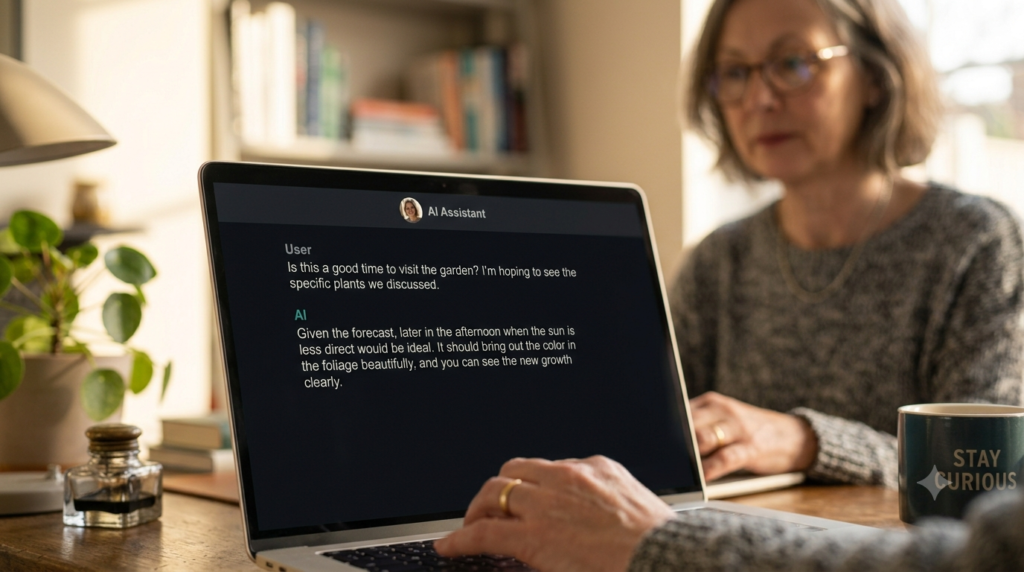
Step 3. You’ll see a text box that says something like “Message ChatGPT.” That’s where you type. It works just like texting.
Step 4. Try asking it something low-stakes first. “Explain what compound interest is in simple terms.” Or “Help me write a thank-you note to a neighbor who watched my dog.” Just to see how it responds.
Step 5. If you don’t like the response, say so. “Make that shorter.” “Use simpler words.” “Give me a different version.” It’ll try again. You can go back and forth as many times as you want.
The free version (called ChatGPT — no plus sign) is genuinely useful for everyday tasks. There’s also a paid version called ChatGPT Plus with additional features, but I’d start free and see if you actually use it before spending anything.
Is It Safe to Use?
Reasonably, yes — with a few caveats I want to mention because I think they matter.
Don’t share sensitive personal information in the chat. Not your Social Security number, not your full bank account details, not your passwords. Treat the chat window like you’d treat a text message to someone you don’t know personally — keep it somewhat general.
OpenAI (the company) uses your conversations to help improve the model, though they have privacy settings you can adjust. It’s worth reading their privacy policy or checking your account settings if this is a concern to you.
For general questions, writing help, and everyday use, the risk is low. Just keep it in mind.
If you want to go further and see how AI tools like this can help with your finances specifically, this post on AI budgeting apps is a good next read.
You don’t have to become an AI expert to get something useful out of this. You just have to try it once with something real. That’s usually enough to make it click.