Last checked: June 2026 — features and pricing may have changed
I’ve been keeping a budget my whole adult life. Envelopes in my 20s. A spreadsheet in my 30s. A different spreadsheet in my 40s that I kept meaning to update and mostly didn’t.
So when I started hearing about AI budgeting apps — apps that use artificial intelligence to track your spending and tell you where your money’s going — I wasn’t blown away by the idea. I thought, “I already know where my money goes. Groceries, utilities, and things I regret.”
But I tried a few of them anyway, mostly out of curiosity. And what I found was more useful than I expected — and in a few cases, more annoying than I expected too. This is what I actually found.
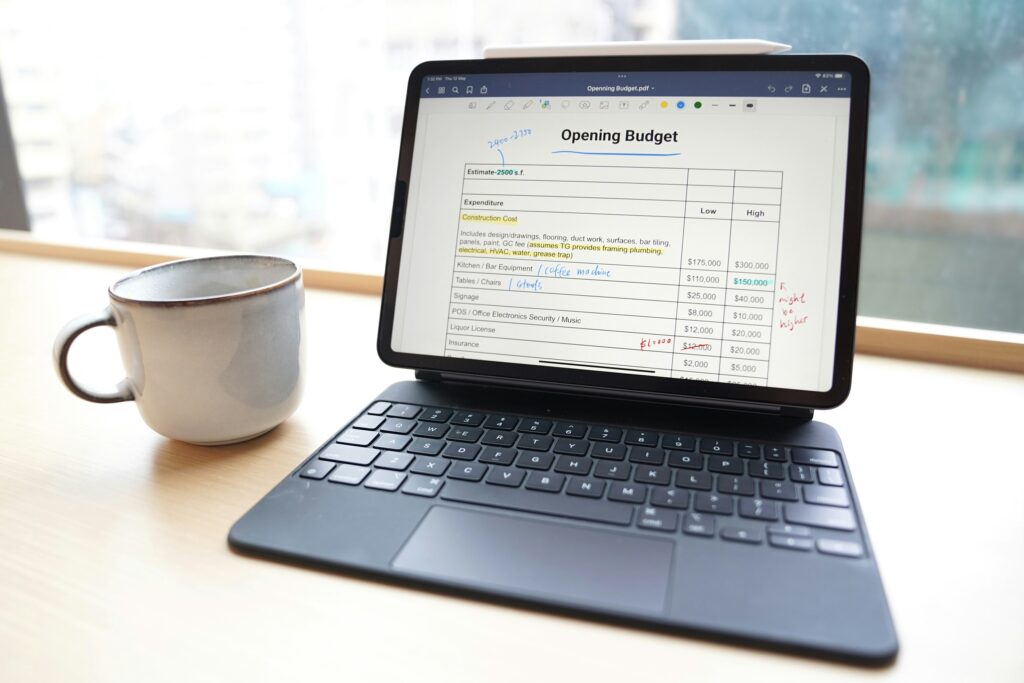
What You Need Before You Start
- A smartphone or computer
- Access to your bank account (not your login — just your statements, which I’ll explain)
- About 20-30 minutes for initial setup, depending on the app
- A willingness to see the truth about your spending (this is the hard part, honestly)
No investment experience or financial background needed. These apps are built for regular people.
What “AI Budgeting” Actually Means
Let me explain what these apps actually do, because the word “AI” gets thrown around a lot and it can mean almost anything.
In budgeting apps, AI usually means the app can automatically categorize your transactions — it looks at what you spent and decides whether it was a grocery trip, a restaurant meal, or a subscription. It can also spot patterns: things like “you spent $340 more this month than last month, mostly on dining out” or “you have 7 active subscriptions and 3 of them haven’t been used in 90 days.”
Think of it like a very patient assistant who reads your bank statements so you don’t have to.
The better apps go further — they can flag unusual charges, project whether you’ll meet your savings goal this month, and in some cases suggest specific adjustments. Not in a lecturing way. More like a quiet nudge.
What they can’t do: move money for you, make investment decisions, or guarantee anything. They’re tools, not advisors. Worth keeping that in mind.
The Apps I Actually Looked At
I’m not going to pretend I used every app on the market for months and have definitive rankings. What I can tell you is what I found when I researched and tested a handful of the more popular ones.
Monarch Money
This one came up repeatedly in a Reddit thread I found while looking into this, so I looked into it more closely. Monarch Money is a subscription budgeting app — check their current pricing on their website before signing up, as it changes. It connects to your bank accounts and credit cards and automatically pulls in your transactions.
The interface is cleaner than most. It lets you set goals, track net worth, and split expenses with a partner — which came up a lot in the reviews, since people in their 50s and 60s often have combined finances with a spouse.
The AI piece recognizes spending patterns and can give you a monthly spending summary without you having to do any math. I liked that.
One thing to know: connecting bank accounts makes some people uncomfortable, and I get that. Most of these apps use read-only access through a service called Plaid — meaning they can see your transactions but can’t move money. But if that still feels like too much, there are apps that let you enter transactions manually.
Copilot Money
Copilot is iPhone-only (as of when I checked this), which immediately rules it out for Android users. But if you’re on iPhone, a few people I came across online said it has the smoothest AI categorization of the bunch — meaning it rarely puts your gas station trip under “restaurants.”
Again, check their current pricing and availability on their site before committing.
YNAB (You Need A Budget)
YNAB — pronounced “why-nab” — has been around for a while and has a devoted following. It works on a “give every dollar a job” philosophy, which means you’re assigning your money to categories before you spend it, not just reviewing where it went afterward.
It’s more hands-on than the others. Some people love that. I talked to someone in a Facebook group I’m in who said YNAB completely changed her relationship with money in her late 50s. Others find it overwhelming at first.
There’s a free trial — check their website for the current length. Worth trying if you want something more active and involved.
A Note on Free Options
Several free apps exist. Some are genuinely useful. Some are free because they sell your data or push financial products at you. I’d encourage reading the privacy policy before connecting any bank account to a free app. That’s not paranoia — it’s just a reasonable habit.
Where I Thought It Would Feel Overwhelming (It Didn’t, Mostly)
I expected setup to be a nightmare. Passwords, verification, all of it. And the first app I tried did have a moment where I was stuck for about 12 minutes trying to verify my bank through Plaid. Not a fun 12 minutes.
But once that was done, it was fine. The ongoing use is genuinely simple. You open the app, look at your spending summary, and adjust if needed. That part took me maybe 5 minutes a week.
The surprising part: seeing my subscriptions listed out in one place. I knew I had “some” subscriptions. Seeing the actual number — and the monthly total — was a moment.
I’m not going to tell you what that number was. But I canceled two things that same night.
What These Apps Can’t Replace
Here’s what I want to be honest about: an AI budgeting app is not a financial advisor. It can’t tell you how much to save for retirement, whether your Social Security strategy makes sense, or how to handle an inheritance.
For those things, an actual human financial advisor — ideally a fee-only one who doesn’t earn commissions on what they sell you — is worth the conversation. Some people search for “CFP near me” (CFP stands for Certified Financial Planner) to find one who’s been credentialed.
The apps are for day-to-day awareness. That awareness is valuable. But it’s one piece, not the whole picture.
If you’re curious how AI is starting to show up in the investing world too, this post on AI investing for beginners gets into that. And for a broader look at the AI tools I’ve been experimenting with, my AI tools overview might be a good starting point.
Should You Try One?
If you’ve ever wondered where your money actually goes at the end of the month — not theoretically, but specifically — then yes, one of these apps is probably worth trying. The free trials mean you don’t have to commit to anything.
Start with one. Give it a real month. See if the clarity is worth it.
For me, the canceled subscriptions more than covered the cost.

Pingback: Is AI Investing Safe for Beginners? What I Learned Before Risking Any Money - AI Beginner Journey